Container ops with mechanical precision.
Oxidock is a native desktop command center for Docker Desktop, OrbStack, Colima, Rancher Desktop, and remote Docker contexts. A precision GUI, a safe CLI playground, and 16 in-app lessons — all running locally on your machine.
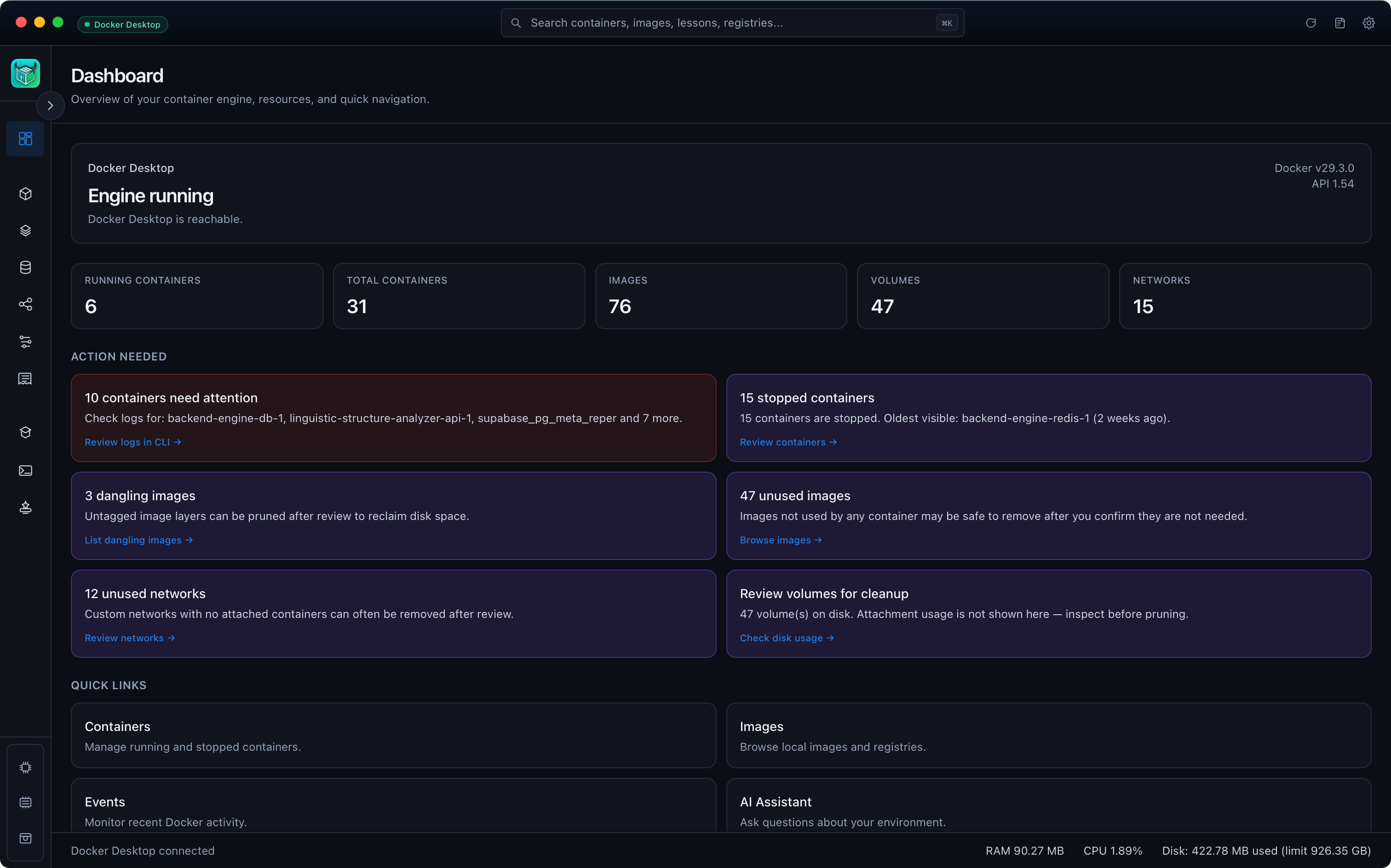
Every container, image, volume and network — at a glance.
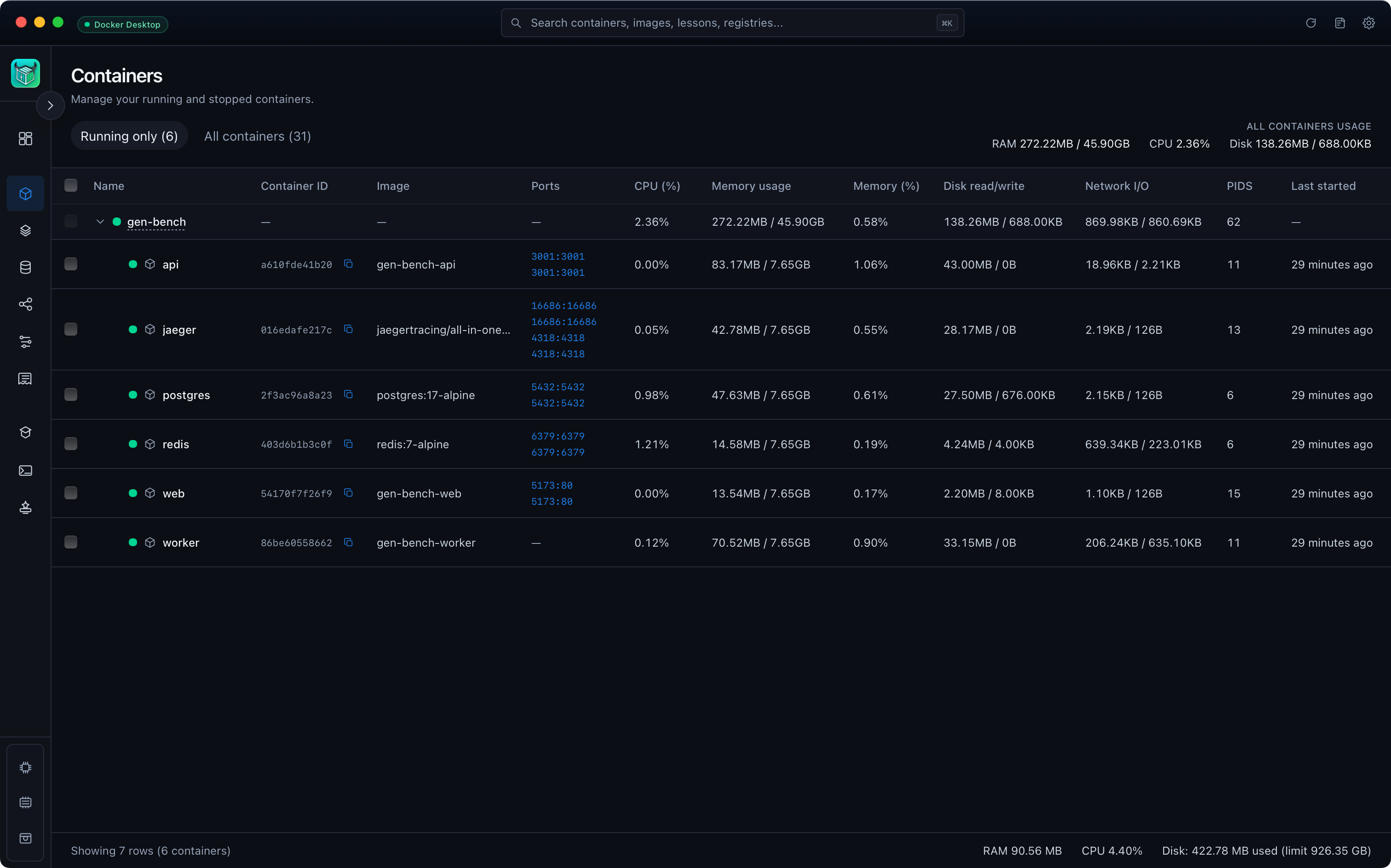
Group containers by Compose project. Live CPU, memory, disk I/O and network stats stream from the Docker API via Bollard. No polling, no spinners.
- Live stats — CPU, RAM, disk, network, PIDs
- Compose-aware grouping with expand/collapse
- Inspect, logs, exec, copy-as-curl in one click
- Multi-select bulk start, stop, restart, remove
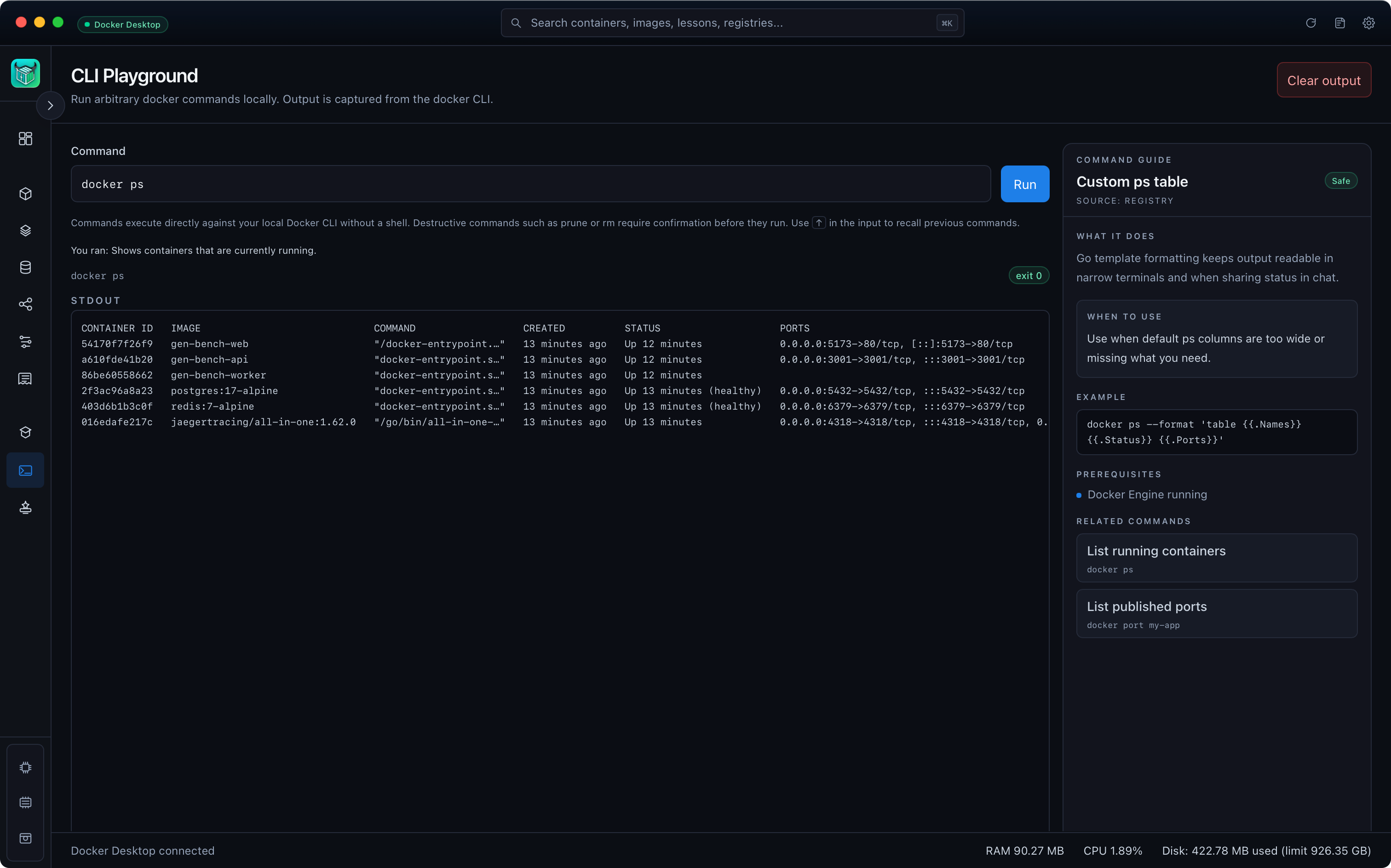
A safer shell for destructive commands.
Every command runs through a normalization and risk module. Safe ones execute directly. Caution and delete commands require explicit confirmation, with a plain-English explanation of what they would change.
Read-only commands run immediately.
Mutating commands need confirmation.
Destructive ops require a typed prompt.
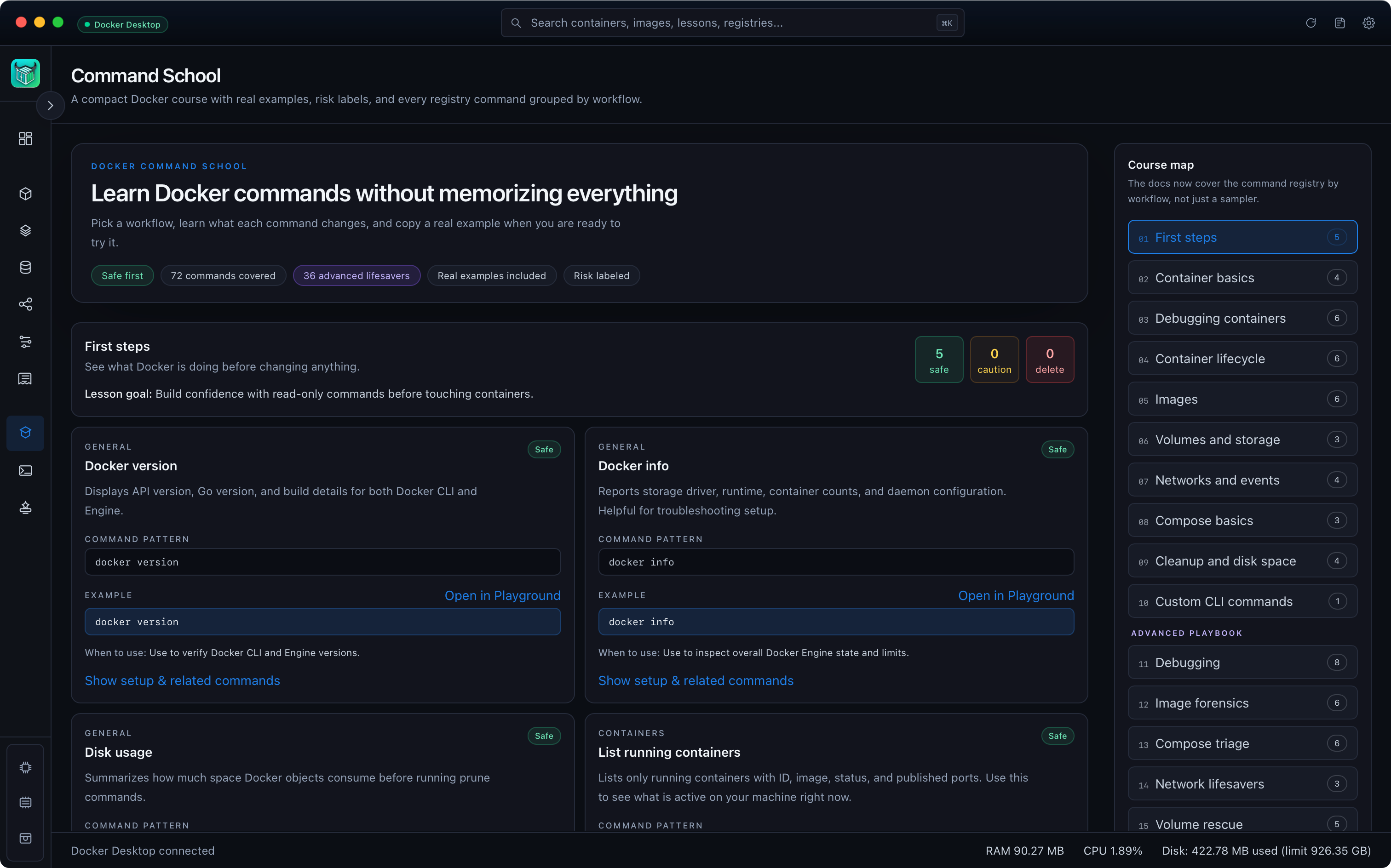
Learn Docker without memorizing everything.
16 interactive lessons grouped by workflow — first steps, debugging, volumes, networks, Compose, cleanup, forensics. Every example runs in the Playground with one click. Risk-labeled. Always offline.
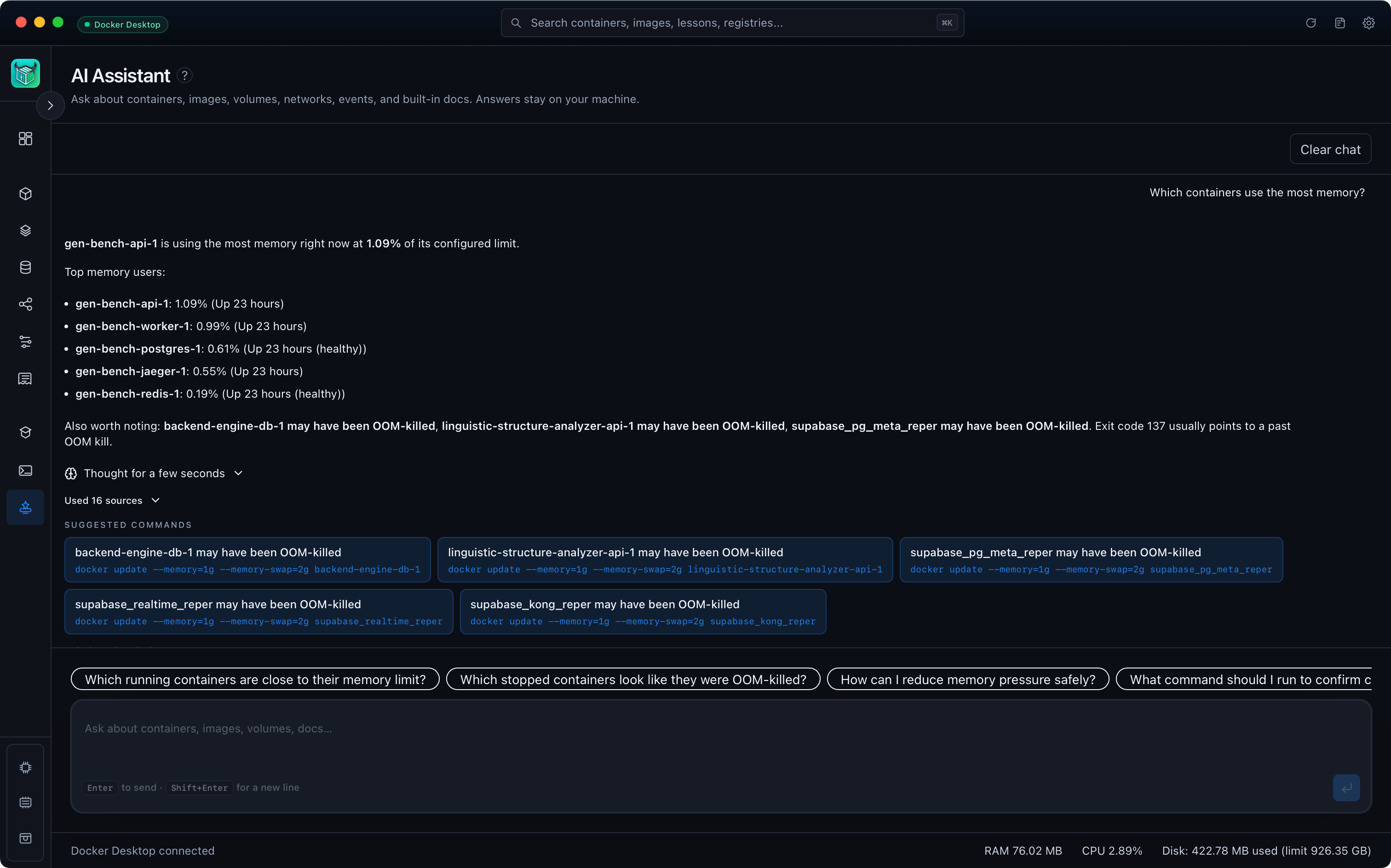
A local AI copilot for everything on your machine.
Ask about containers, images, volumes, networks, and recent engine events. The assistant reasons over live state on your laptop — suggests commands, explains flags, and calls out destructive risks before you run anything. Nothing leaves your machine. Turn it off any time.
- Grounded in live engine state — not generic chat
- Summarizes recent events and surfaces restarts, errors, and drift
- Suggested prompts for what changed, what failed, and what to run next
- Works with the Playground risk layer on mutating commands
- 100% offline · optional · no accounts or telemetry
Built like a hardware control panel.
Multi-engine
Docker Desktop, OrbStack, Colima, Rancher Desktop, and remote Docker contexts — switch without restart.
Global search
⌘K through containers, images, lessons and registry commands. Pre-fill straight into the Playground.
Registries & creds
Manage Docker Hub, GHCR, ECR and private registries from one signed credential store.
Live events
Subscribe to the Docker event stream — every start, stop, pull and prune in a unified timeline.
Custom title bar
Engine status, global search, settings and refresh — pinned to the chrome, no chrome wasted.
Keyboard first
Every action has a shortcut. The dock-rat in you will feel at home — and faster than ever.
Questions, answered.
Still curious? Open an issue on the GitHub repo — the maintainers are very responsive.
- Is Oxidock really free?
- Yes — MIT licensed, free forever, no paid tier. The project lives on GitHub and is built in the open.
- Does it replace Docker Desktop?
- No. Oxidock is a thin native UI on top of the Docker-compatible engine you already have. It works alongside Docker Desktop, OrbStack, Colima, and Rancher Desktop — pick whichever fits your machine best.
- Is the AI assistant required?
- No. The local model is fully optional. The app works identically without it, and there is a one-click switch to disable it permanently.
- Does it send any data home?
- Never. No accounts, no telemetry, no auto-update beacon. You can verify in the source.
- Why Rust + Tauri?
- Oxidock gets a small native desktop shell without shipping a full browser runtime. The Apple Silicon release binary measures about 18 MB, while the Rust backend gives us one shared place for Docker API access, command safety checks, engine selection, and persistent app config. In local release measurements, Tauri backend setup completed in roughly 150-180ms on Apple Silicon.
Take control of your containers. It's free.
14.5 MB. No accounts. No telemetry. MIT licensed. Open the app and your engine is detected automatically.